Why Operators Confuse the Casino API with the Affiliate API — and Why It Matters
The confusion is understandable. A new operator stands up their platform, integrates the game provider API, integrates the payment processor, and then realizes they need to integrate their affiliate software. At this point, some part of the project brief says “API integration” and the assumption becomes: we already did APIs, this will be the same.
If the affiliate platform itself is still under review, compare the underlying tracking and commission requirements in our iGaming affiliate software decision matrix before finalising the API map.
It isn’t.
Your game provider API — the one that connects your casino to content from Evolution, Pragmatic, or wherever you’ve sourced your library — is a content delivery contract. It says: here is a player session ID, here are the game parameters, here is where the stake and return data goes. It is built for RTP tracking, for player session management, for regulatory audit trails on game outcomes.
Your affiliate API is an attribution contract. It says: here is a player, here is the click that brought them, here is every financial event they generated that is relevant to calculating an affiliate’s commission. It is built for tracking, for commission calculation accuracy, for fraud flagging, and for the reporting your affiliate managers use every day.
These two APIs touch the same player. They don’t share infrastructure, they don’t share data schemas, and they don’t fail in the same ways. When operators try to derive affiliate attribution from game provider event data, the result is commission calculations that lag by hours, NGR figures that don’t reconcile with the platform dashboard, and affiliate dashboards that show conversion events in the wrong timezone. We’ve seen this misconfiguration cause six-figure disputes with top affiliates who were paid correctly but whose dashboards showed something different.
Get the systems clearly separated in your architecture before you start configuring either.
The Two Integration Models: Which One Your Architecture Actually Requires
Once you understand that affiliate tracking is a separate data layer from your platform’s operational infrastructure, the next decision is how that layer receives events.
Direct API Integration
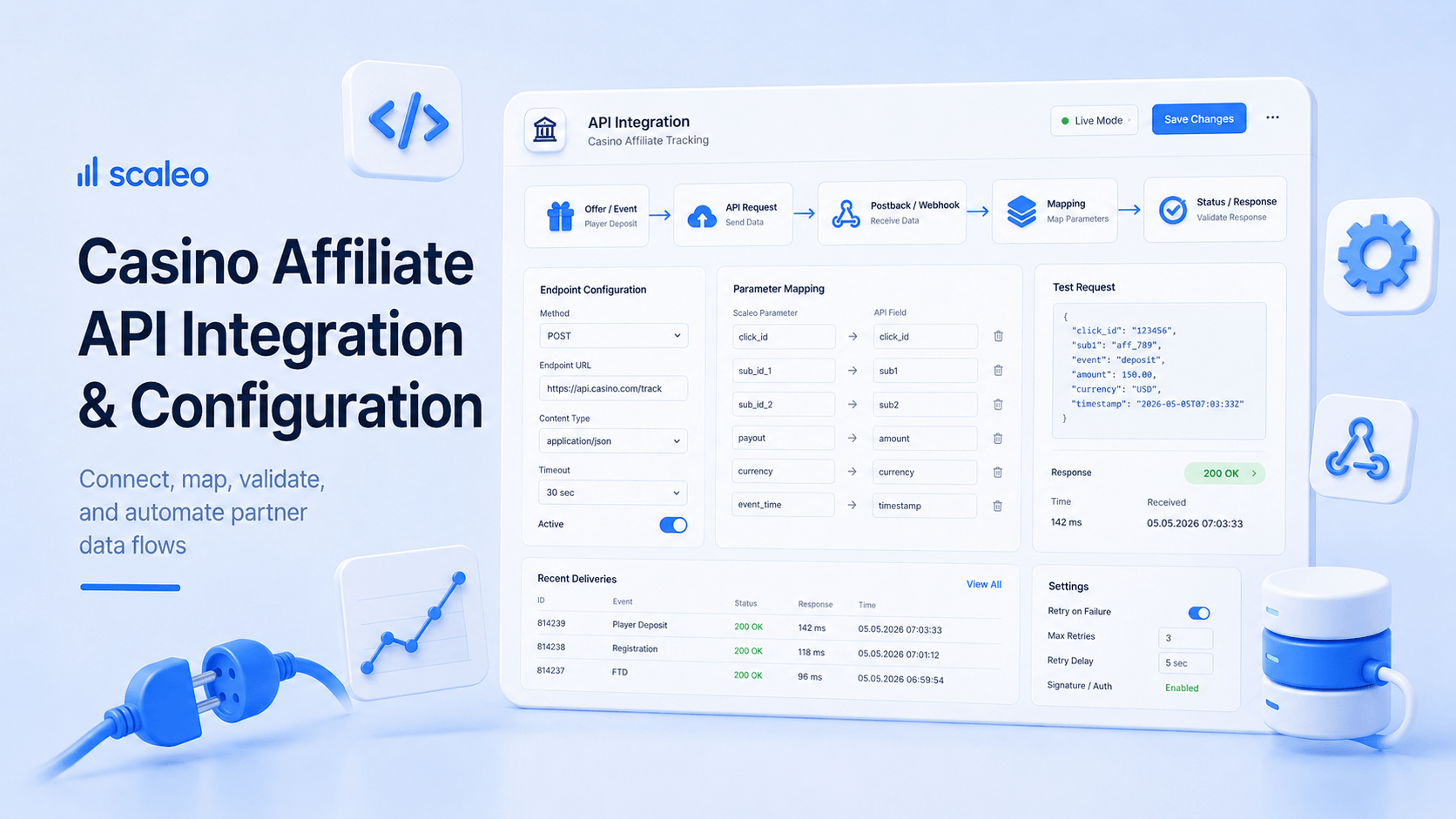
Your platform calls Scaleo’s API endpoint at the moment each tracked event occurs. A player registers — your platform fires a POST to the Scaleo registration endpoint with the required fields. The FTD hits — your platform fires the FTD event with player ID, amount, currency, and timestamp. This model is synchronous at the event level and gives you the most control over event timing, field composition, and retry logic.
Direct API is the right choice when: your platform has a well-structured event bus or can emit discrete events at each stage of the player lifecycle; your dev team has bandwidth to write and maintain outbound API call logic; you need to customize field mappings that don’t match a postback template exactly; or you’re integrating with a custom-built platform rather than an established iGaming stack.
Postback / Webhook Integration
Postback inverts the direction. Instead of your platform pushing events to Scaleo, Scaleo’s tracking system listens for events that your platform fires. When a player converts, your platform fires an outbound call to a Scaleo postback URL. This is the model most standard iGaming platforms support natively — the postback URL configuration is built into the affiliate settings panel, and no custom development is needed on the platform side.
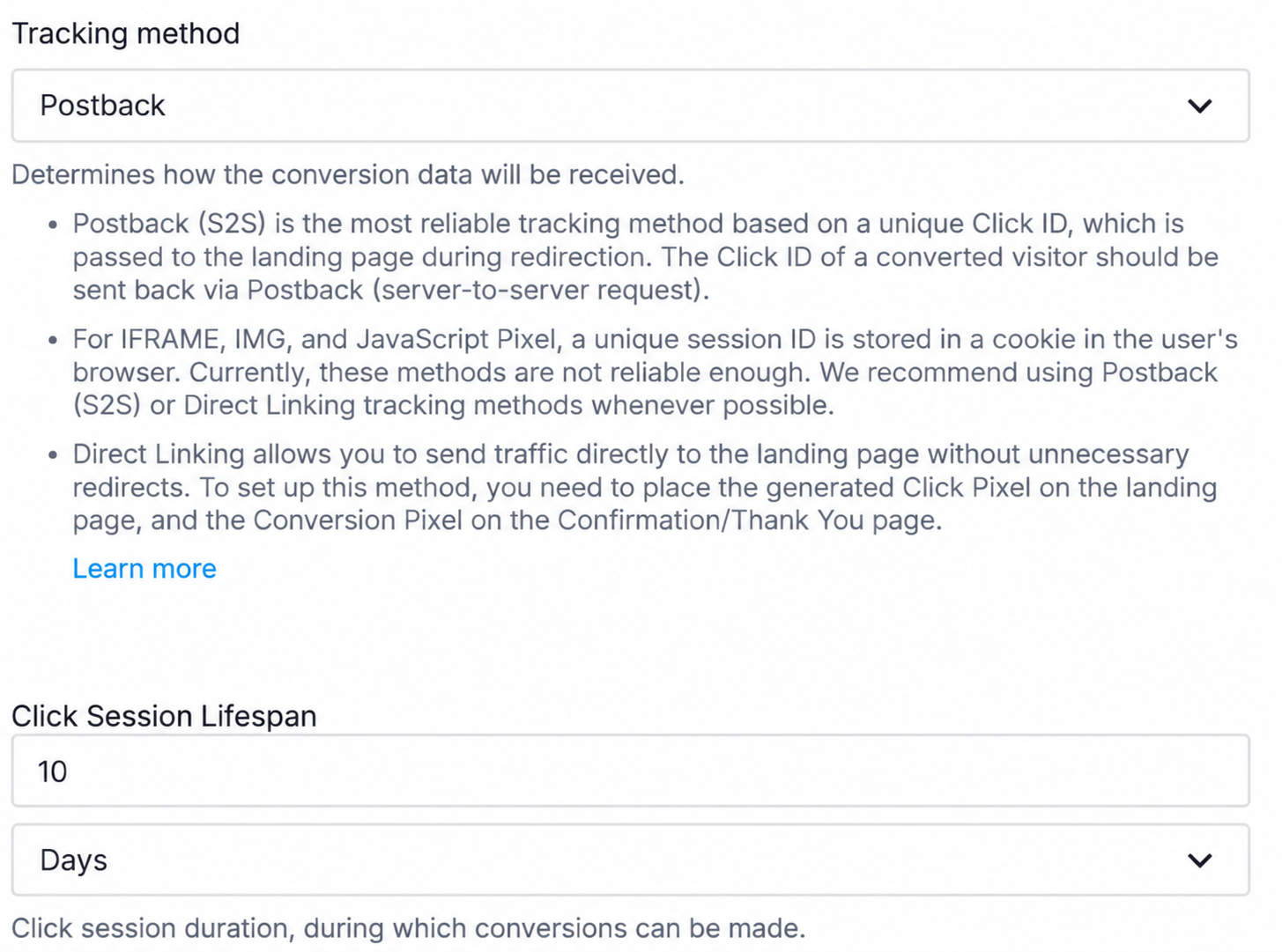
Postback is the right choice when: your platform is a licensed iGaming solution (most have postback/S2S tracking built in); you want to minimize dev dependency on the affiliate integration — configure a URL, done; your events are well-defined and the platform controls the field set you can pass.
The failure mode with postback integrations is configuration, not development. The postback URL gets set up, the parameters get mapped, and then someone changes the casino platform’s event naming convention in a patch update without checking whether the affiliate tracking parameters still match. Six weeks later, the affiliate manager notices that deposit events are being recorded but not attributed. The postback is still firing — just sending a field with a different name than Scaleo’s endpoint expects. We catch this in QA. Operators who skip the QA step catch it in a commission dispute.
The Five Event Types You Cannot Skip — and What Data Each One Requires
Affiliate commission calculations are only as accurate as the events feeding them. Every event type serves a different function in the commission chain, and missing data fields in any one of them produces errors that compound across the reporting period.
Registration
The registration event establishes the player-to-affiliate attribution link. It is the anchor for everything that follows.
The click ID is the field most frequently missing or incorrectly passed at registration. When a player arrives through an affiliate link, Scaleo’s tracking system generates a click ID that must be stored by your platform for the session and passed at registration. If your platform doesn’t capture and persist the click ID through the registration flow, the player registers but the attribution dies with the session.
First-Time Deposit (FTD)
The FTD event triggers commission for CPA-model affiliates and opens the player’s RevShare calculation period. Many platforms send all deposit events to the same endpoint and rely on a flag to distinguish the first one. If that flag is absent or wrong, Scaleo sees all deposits as equal and can’t identify the FTD moment.
The most common error we see in new operator integrations: the FTD call fires without the player ID. The event registers, commission may accrue to the right affiliate via session matching, but the player record is never linked. Reconciliation becomes a manual exercise.
Subsequent Deposits
Subsequent deposit events feed the NGR calculation for RevShare affiliates. Deposit events should not include bonus amounts unless your NGR model includes deposit bonuses in GGR calculations — which most regulated operators do not.
Withdrawal
Withdrawal events reduce the net position in NGR calculations. A withdrawal event without a player ID cannot be applied to the player’s running NGR total and will either be ignored or cause a calculation error depending on how your integration handles unmatched events.
NGR Calculation Trigger
The event most often absent from initial integrations. Operators assume Scaleo calculates NGR from the deposit and withdrawal events — it can, but only if the data arriving matches how your platform calculates NGR. Bonus deductions, free spin contributions, chargebacks, and adjustments applied by your risk team are not visible to Scaleo unless your platform explicitly passes them.
The NGR calculation trigger should pass the net revenue figure as calculated by your platform after all adjustments. If you let Scaleo derive NGR from raw deposit and withdrawal events without adjustment data, your affiliate commissions will not reconcile with your finance reports.
Common Misconfiguration Errors — and What They Look Like in Production
Understanding the error modes before you go live is the difference between a clean launch and three months of retroactive commission corrections.
FTD events appear in Scaleo reporting without being attributed to a player. Affiliates receive commission credit for conversions that have no player history behind them. When the affiliate manager tries to drill into the conversion, the player record is empty.
Root cause: Almost always a session management issue. The FTD component doesn’t have access to the player ID at execution time. The fix is architectural — the FTD component needs to retrieve the player ID before firing the event, not derive it from session context.
Affiliate RevShare commissions are higher than they should be. Your finance report shows NGR of X; Scaleo’s commission report shows commission calculated on a higher base. The discrepancy equals the bonus deduction your platform applied post-calculation.
Root cause: Scaleo is deriving NGR from the gross deposit amount rather than receiving the adjusted net figure. Either pass the NGR calculation trigger event with the adjusted figure, or configure Scaleo to apply a bonus deduction offset at the commission rule level.
Players who deposit at 23:45 platform time appear in the following day’s commission report. Commission period totals don’t match between the platform dashboard and Scaleo. Affiliate payments at period end are calculated on different player counts than the platform shows.
Root cause: The platform fires events with local timestamps; Scaleo receives and interprets them as UTC. A five-hour timezone offset means events fired in the last few hours of the local business day appear in the next UTC day’s records. Fix: standardize on UTC everywhere, from day one.
Multiple commission events for the same player registration. Affiliate reports show player counts higher than actual. NGR per player looks lower than it is.
Root cause: Retry logic on the registration event is not idempotent. When the initial call times out, the retry fires a second event that Scaleo processes as a new registration. Fix: include an idempotency key (your internal player ID or a transaction ID) in all registration calls.
Deposit events received before registration events. FTD flagged on what appears to be a player with no registration record. Conversion attribution fails intermittently.
Root cause: The affiliate API is being called asynchronously from different services with different latency profiles. The fix is to enforce event ordering at the platform level before the affiliate API is called — Scaleo processes events in the order received, and if that order doesn’t match the player lifecycle, the commission calculations won’t either.
How to QA the Integration Before Going Live
Integrations that aren’t QA’d before go-live discover their errors in production. This is the wrong place to discover them. The QA process for a casino affiliate API integration should take no more than two days for a correctly configured setup. If it’s taking longer, the configuration has a problem the QA is surfacing — which is exactly the point.
QA Checklist — 5 Steps Before Go-Live
Create test player accounts with known attribution
Use Scaleo’s test mode to create affiliate links with test attribution. Register 5–10 test players through tracked affiliate links. Verify each registration event appears in Scaleo within the expected window, the click ID or affiliate ID is correctly attached, and the player ID in Scaleo matches your platform’s internal player ID exactly — not a reformatted version.
Run the complete event flow for each test player
For each test player, execute: registration → FTD → additional deposits → simulated withdrawal → trigger NGR calculation. After each step, verify the event appears in Scaleo’s event log with the correct UTC timestamp, the correct player attribution, and the correct field values — and in the correct sequence.
Verify NGR reconciliation
Pull the NGR figure from your platform’s finance dashboard for the test players. Pull the same figure from Scaleo’s commission calculation view. They must match. Do not accept a “close enough” reconciliation — a 2% discrepancy on test players becomes a 2% systematic commission error across your entire affiliate program.
Verify period boundary behavior
Create a test player who deposits at 23:55 UTC on the last day of the period. Verify the deposit appears in that period’s commission calculation, not the following period’s. If it appears in the wrong period, you have a timezone issue in how timestamps are being passed.
Simulate a retry and verify idempotency
Manually fire a duplicate registration event for one test player. Verify Scaleo processes it as a duplicate and does not create a second player record or a second commission event. If it does, add idempotency key handling before going live.
Commission Model Mapping: The Second Half of the Integration
Getting events flowing correctly is the first half. The second half is ensuring Scaleo’s commission rules are configured to match the deals you’ve made with your affiliates.
A CPA commission rule is straightforward: X amount per FTD that meets the qualifying conditions. But the qualifying conditions matter. What’s the minimum deposit amount? Does the player need to wager the deposit, or just deposit it? Is the CPA only for new-market players, or across all GEOs you’re operating in? These need to be configured in Scaleo’s commission rules before any events start flowing, or Scaleo will apply a default commission logic that may not match your affiliate agreements.
RevShare is more complex. The commission base (GGR vs NGR vs custom definition), the negative carryover policy, the bonus cost treatment, and the holding period — all of these need to be mapped explicitly.
Audit your commission rules before go-live using a set of known player scenarios: a player with no activity in a period (negative carryover), a player with a large win (NGR base impact), a player who churns after the FTD (does CPA still accrue?). Run these manually and verify the commission outputs match your policy documents.
What Scaleo Provides: Pre-Built Connectors, Documented API, and Integration Support
Operators do not need to build their affiliate tracking integration from the ground up. We, the team behind Scaleo, have spent years accumulating pre-built connectors for the platforms that power the majority of iGaming operations — meaning that for operators on supported platforms, the integration is a configuration exercise, not a development project.
What’s included in Scaleo’s integration stack
For operators on supported platforms and custom builds alike
Pre-Built Connectors
Native connectors for major licensed iGaming platforms. Setup is configuration, not development — postback URL, field mapping, QA, done.
Documented REST API
Full endpoint specifications, required and optional fields, authentication handling, error codes, and example payloads for every event type.
Sandbox Environment
Full event logging on test calls — not just pass/fail, but a complete record of what was received, how it was parsed, and what commission calculation it would trigger.
Integration Support
Direct access to our technical team during setup. Not a 48-hour ticket queue — operators integrating Scaleo’s API work directly with our integration team to resolve configuration issues before go-live.
Integration Timeline by Scenario
| Integration Scenario | Method | Estimated Timeline | Dev Effort Required |
|---|---|---|---|
| Supported platform connector | Postback via connector | 2–3 days | Minimal — configuration only |
| Standard iGaming platform (custom postback) | Postback / S2S | 3–5 days | Low — field mapping and QA |
| Custom-built platform | Direct API | 5–10 days | Medium — API call implementation |
| Complex multi-brand setup | Direct API + custom rules | 10–15 days | Medium-High — multi-brand attribution logic |
The timelines above represent what we see in practice across the integrations we support — not optimistic estimates. The six-week timelines that operators sometimes encounter come from platforms that require extensive custom development work, undocumented field requirements, or weak integration support. That is not the kind of integration this is.
A Note on the Operator-Affiliate Data Relationship
One thing the technical integration discussion tends to underweight: the affiliate on the other side of this configuration has their own reporting view, and they will cross-check it against yours.
Your top-performing affiliates are sophisticated. They track their traffic sources carefully. They know what their conversion rates typically are, and they know what their player values typically generate over a 30-day window. When Scaleo’s reporting shows them data that diverges from their own tracking, they will raise it.
Frequently Asked Questions
What is the difference between a casino affiliate API and a game provider API?
A casino affiliate API handles player attribution and commission tracking — it connects events in the player lifecycle (registration, FTD, deposits, withdrawals) to the affiliate who sent that player, enabling automated commission calculation. A game provider API handles game content delivery — it connects your casino platform to game libraries, manages player sessions, and tracks game outcomes for RTP and audit purposes. They touch the same players but serve completely different functions and should never be conflated during integration planning.
What are the most common casino affiliate API integration errors?
The most common errors are:
(1) missing player ID on the FTD event, which orphans conversion records from player histories;
(2) NGR calculated before bonus deductions, which inflates RevShare commission bases;
(3) timezone mismatch between the casino platform and affiliate software, which shifts events across commission period boundaries; and
(4) duplicate events caused by non-idempotent retry logic. All four can be identified and corrected in a proper QA process before go-live.
How long does it take to integrate Scaleo’s affiliate tracking API?
For casino operators on platforms that Scaleo supports with a pre-built connector, configuration typically takes 2–3 days including QA. For custom platform integrations using Scaleo’s documented REST API, the timeline is 5–10 days assuming a competent development team and access to our integration support. Extended timelines are typically a symptom of undiscovered configuration errors or unclear commission rule requirements — not inherent integration complexity.
What event types must be passed through the casino affiliate API?
The five required event types are: registration (with click/affiliate ID for attribution), first-time deposit (with FTD flag and player ID), subsequent deposits, withdrawals, and NGR calculation trigger (passing your platform’s calculated net revenue after all adjustments). Omitting any of these will produce commission calculations that diverge from your platform’s finance reports.
Can Scaleo calculate NGR directly from deposit and withdrawal events?
Scaleo can derive a raw net position from deposit and withdrawal events, but this figure will not match your platform’s NGR if your platform applies bonus deductions, free spin costs, chargeback adjustments, or risk team corrections. The accurate approach is to pass the platform’s calculated NGR figure as an explicit event. For operators whose platforms don’t support NGR trigger events, Scaleo’s commission rules can be configured with adjustment offsets — but this requires careful setup and ongoing reconciliation to maintain accuracy.