- An operator running 20 CPA affiliates at a €250 rate with no monthly cap enforcement — and where conversion validation has a gap of even 48 hours — can accumulate over €150,000 in unchecked payout exposure per quarter before any manual review catches the problem. That is not a hypothetical edge case. It is what we find when operators migrate to Scaleo and we audit the prior 90 days of commission data against their configured plan logic.
- The three CPA cap types that matter — monthly caps, lifetime player caps, and campaign-level caps — each catch different failure modes. Running only one of the three means the others are open exposure. We explain what each one fails to prevent when the others are missing.
- The hybrid CPA + RevShare fallback configuration is the most common affiliate commission structure in iGaming and the most error-prone. When configured incorrectly, it pays CPA on conversions that should have triggered RevShare evaluation — and nobody notices until reconciliation, which is usually months later.
- Manual commission overrides — the ad hoc adjustments that affiliate managers make outside the standard plan — are the single largest source of silent reporting errors in iGaming affiliate programs. Every manual override that lives in a spreadsheet and not in the platform breaks the audit trail and makes reconciliation structurally unreliable.
This post does not explain what a CPA commission is. If you need that, our commission models overview covers CPA, RevShare, and hybrid structures from first principles. Start there.
What this post is about is what happens after you understand CPA — when you are trying to configure it correctly across 20, 50, or 200 affiliate accounts, each with different caps, different deal terms, and different edge cases that the standard plan logic was not designed to handle. That is where the errors are. Not in misunderstanding the model. In the gap between what the commission plan says and what the platform actually calculates when real traffic hits real conversion events under real-world conditions.
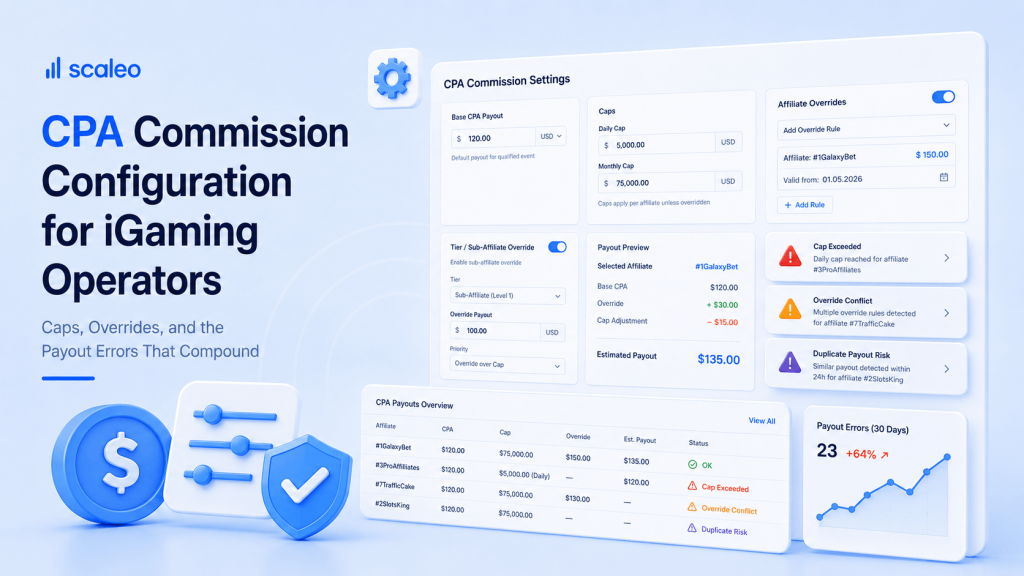
Those errors do not announce themselves. They compound silently, pay cycle after pay cycle, until someone does a reconciliation deep enough to catch them — which, at most operators, happens once a quarter if it happens at all.
What CPA Cap Misconfiguration Actually Costs: A Concrete Operator Scenario
Setup: An operator runs 20 CPA affiliates. Average CPA rate is €250 per qualifying first-time depositor. Each affiliate has a monthly cap of 40 conversions — meaning the operator’s maximum monthly liability per affiliate is €10,000, and across the program, €200,000 per month.
The gap: The platform’s monthly cap enforcement runs on a 24-hour validation cycle. Conversions are logged immediately, but cap checks run at midnight UTC. In the 24-hour window between a cap being hit and the nightly enforcement job running, conversions continue to accrue commissions against accounts that are already at limit.
The exposure: Across 20 affiliates, if each affiliate drives an average of 5 conversions in the 24 hours after hitting their monthly cap — before the nightly job flags and halts accrual — the operator is paying €25,000 in out-of-cap commissions per month that should not have accrued. Over a quarter, that is €75,000. In programs where affiliates learn that the cap enforcement is not synchronous and intentionally front-load traffic toward month-end, the number is higher.
Why it’s invisible: The reporting dashboard shows total commissions paid. It does not, by default, show commissions paid against conversions that occurred after the cap threshold was crossed. That analysis requires a manual audit against the conversion timestamp log — which almost no operator runs routinely.
The scenario above uses a 24-hour validation cycle, which is more conservative than what we have found in production audits. Some platforms run cap enforcement on weekly or monthly settlement cycles — meaning the cap is checked at payout time rather than at conversion time. By then the exposure has been running for weeks.
Cap enforcement that runs synchronously with the conversion event — before the commission accrues — is the correct architecture. Enforcement that runs at settlement is not cap enforcement. It is cap reporting. The distinction matters because at settlement time, the commission has already been calculated, the affiliate has already seen it in their dashboard, and reversing it is a relationship problem, not just an accounting one.
The Three CPA Cap Types — and What Each One Fails to Catch Without the Others
Operators who set up CPA caps typically implement one cap type — usually the monthly payout cap — and assume that covers the program. It does not. The three cap types address different failure modes, and a gap in any one of them creates an exposure the other two cannot close.

Monthly Caps: Controlling Total Payout Velocity
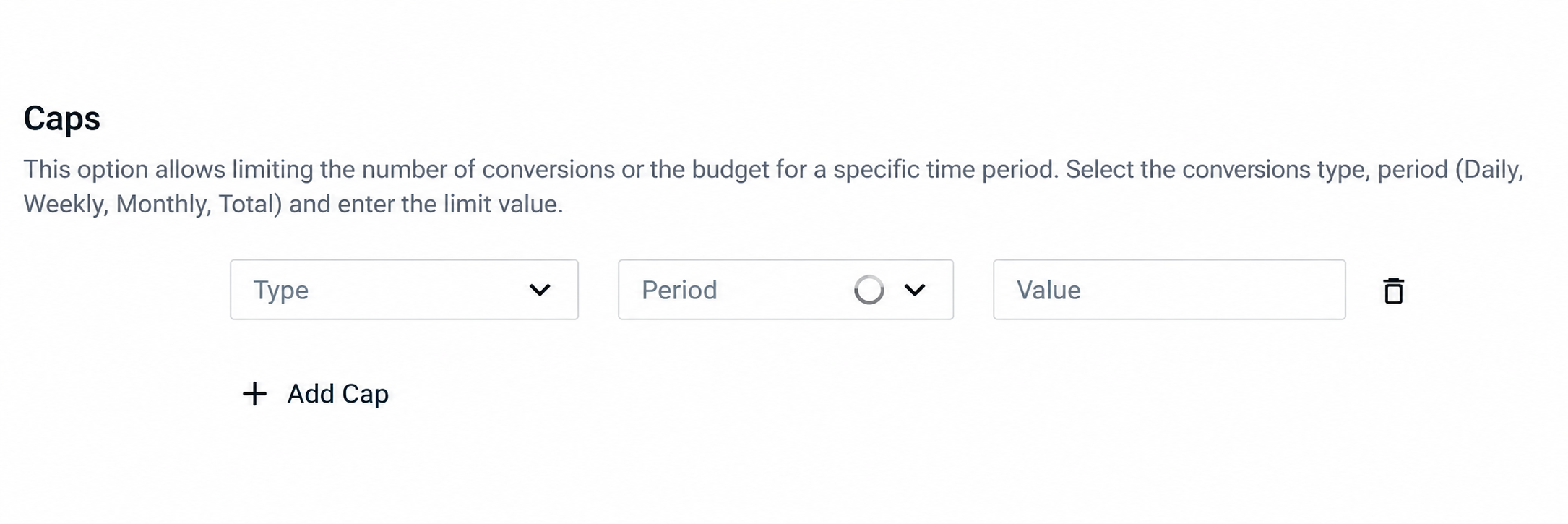
A monthly cap sets the maximum number of CPA-qualifying conversions — or the maximum total commission value — that an affiliate can be paid within a calendar month. It is the most common cap type because it maps directly to budget planning: the operator knows their maximum monthly liability per affiliate before the month starts.
What it fails to catch when it is the only cap in place: a single affiliate who drives 40 conversions in the first week of the month, hits their cap, then the same underlying players re-register through a slightly different attribution path and generate a second wave of conversions the following month. The monthly cap resets. The players do not. Without a lifetime player cap running in parallel, the same converted player can generate CPA commissions across multiple months, multiple reset cycles, and potentially multiple affiliates if the attribution changes.
Lifetime Player Caps: Preventing Double-Commission on the Same Player
A lifetime player cap marks a player as CPA-paid once — across the entire program, for the life of their account — so that no subsequent affiliate attribution event can generate a second commission on the same depositing player. This is the cap type that operators most frequently forget to configure, and it is the one that produces the most expensive errors when it is missing.
The failure mode without it: a player registers through Affiliate A in January, generates a CPA commission, goes dormant, returns in April through a new affiliate link from Affiliate B, and re-qualifies as a first-time depositor in the commission calculation logic because the plan does not check whether this player ID has ever triggered a CPA payout before. Affiliate B receives a full CPA commission on a player who has already been paid for once. In programs with high re-engagement traffic — bonus hunters, seasonal depositors, players who cycle through dormancy and return — this error pattern runs at scale without lifetime player caps in place.
Lifetime player cap enforcement requires the platform to maintain a persistent paid-player registry keyed to player ID — not to session, not to cookie, not to device. Player ID. Any platform enforcing lifetime caps through cookie-based deduplication is not actually enforcing lifetime caps. It is enforcing same-device, same-browser deduplication, which is a materially weaker guarantee.
Campaign-Level Caps: Budget Control for Time-Bound Promotions
A campaign-level cap sets a maximum conversion count or total commission budget for a specific promotional campaign — an elevated CPA rate for a launch period, a geo-targeted push, a seasonal deposit bonus attached to an affiliate traffic event. The campaign cap closes when the budget is exhausted, regardless of where individual affiliates sit against their own monthly caps.
Without campaign-level caps, a promotional CPA rate — typically set higher than the standard rate to incentivize traffic during a specific window — continues paying at the promotional rate after the campaign period ends, because there is no budget ceiling to close the campaign. The affiliate keeps driving traffic. The platform keeps applying the promotional rate. The operator keeps paying it. We have seen operators discover this months after a campaign officially closed, when they audit why commission spend in a particular market is running 40% above plan.
| Cap Type | What It Controls | Failure Mode Without It | Common Misconfiguration |
|---|---|---|---|
| Monthly Cap | Maximum conversions or commission value per affiliate per calendar month | No velocity control on high-performing (or fraudulent) affiliates; budget overrun is only discovered at month-end settlement | Cap enforcement runs at settlement rather than at conversion; 24–48 hour lag allows over-cap accrual before enforcement triggers |
| Lifetime Player Cap | Prevents a player from generating CPA commissions more than once across the program lifetime | Re-engaged dormant players, re-attributed returning players, and bonus hunters generate double or triple CPA commissions across affiliate accounts | Deduplication uses cookie or device matching rather than persistent player ID — survives browser resets and device changes, which defeats the cap entirely |
| Campaign-Level Cap | Total budget ceiling for a promotional CPA rate or time-limited traffic push | Promotional rates continue paying after the campaign window closes; no automatic fallback to standard rate when the campaign budget is exhausted | Campaign end date is set but no budget cap — campaign closes by date but not by spend; or campaign budget cap is set but no date, so high-volume affiliates exhaust the budget in days |
The CPA + RevShare Fallback: iGaming’s Most Error-Prone Commission Configuration
Hybrid commission structures — where an affiliate earns CPA on initial player conversion and then transitions to RevShare on the same player’s ongoing activity — are the standard deal structure for high-value affiliate partnerships in iGaming. The affiliate gets the immediate commission on the conversion; the operator gets a more favorable long-term arrangement than pure RevShare on a player who might generate significant lifetime value.
In theory, it is a sensible alignment of interests. In practice, it is the most error-prone configuration in the affiliate commission stack, and the errors it produces are invisible to everyone except someone doing a deliberate audit of individual player commission histories.
Here is how the configuration fails.
The practical consequence: operators running hybrid CPA + RevShare structures are, in a meaningful percentage of cases, paying incorrect commissions in both directions — overpaying on CPA conversions that did not qualify, underpaying on RevShare for players in the hybrid pool, or miscalculating carryover on the RevShare component. The reconciliation required to find these errors is not complicated, but it requires access to player-level commission data crossed against the commission plan configuration history — something most operators request from their platform and get a flat report instead.
Commission Overrides: What They Break in Reporting and Reconciliation
A commission override is any manual adjustment to a commission outside the standard plan logic — a one-time increase to an affiliate’s CPA rate for a specific campaign, a manual deduction applied to a payout because of a disputed conversion, a retroactive adjustment to a previous period’s commission because of a reconciliation error that was caught late.
Overrides are operationally necessary. Affiliate programs are commercial relationships, and commercial relationships require flexibility. The problem is not that overrides happen. The problem is where the override lives and what it does to the data trail around it.
When an override is recorded in a spreadsheet — outside the platform — it creates a split record. The platform’s commission ledger shows what the plan logic calculated. The spreadsheet shows what was actually paid. Reconciliation now requires comparing two independent data sources that have no built-in relationship to each other, which means reconciliation errors are guaranteed as soon as the person who maintained the spreadsheet changes roles, or the spreadsheet version history is lost, or the override column gets accidentally deleted in a sort operation.
We have seen this produce six-figure reconciliation discrepancies in operator programs with more than 50 affiliates. Not because anyone was careless. Because the volume of overrides across a program that size — rate adjustments for new deals, retroactive corrections, promotional bumps, disputed conversion deductions — exceeds what any spreadsheet-based tracking system can keep consistent over 12 months of operations.
What Overrides Break Specifically
| What the Override Affects | The Problem It Creates | How It Surfaces (If It Surfaces at All) |
|---|---|---|
| Commission reporting totals | Reported commissions from the platform do not match actual payouts. Any analysis of commission spend by affiliate, by campaign, or by period is unreliable unless the override adjustment is manually added to every report. | During finance team reconciliation — usually quarterly. Often discovered by the discrepancy between platform reports and bank transfer totals. |
| Fraud flag visibility | Fraud scoring systems flag anomalies against the commission plan baseline. An affiliate whose rate has been manually overridden upward looks like they are receiving over-cap payouts against their plan — generating false positives in fraud detection that clog the review queue with legitimate accounts. | In fraud review dashboards as persistent unexplained flags on specific affiliate accounts. Usually resolved by manually excluding the account from scoring — which also excludes it from legitimate fraud detection. |
| Audit trail integrity | Regulatory audits and internal compliance reviews require a complete, timestamped record of commission decisions. Overrides recorded outside the platform break the audit chain — there is no platform-level record of who authorized the override, when, or why. | During MGA or UKGC compliance audits, or during due diligence processes if the operator is acquired or seeks licensing in a new jurisdiction. |
| Affiliate payment disputes | When an affiliate disputes a payout, the resolution depends on having a clear record of what commission they were promised versus what was calculated. An override recorded only in a spreadsheet cannot be surfaced as authoritative documentation — it is an internal file the affiliate has never seen and that has no connection to the platform’s commission ledger. | In affiliate dispute processes. Resolution time increases significantly; outcomes are harder to defend if the affiliate escalates. |
The correct handling of a commission override is to record it inside the platform — as a plan exception tied to the affiliate account, with an authorization timestamp, an expiration date if the override is temporary, and a reason code that appears in the commission history. An override that lives in the platform is visible to reporting, visible to fraud detection (which can exclude it from anomaly scoring correctly), and visible to any future reconciliation or audit. An override in a spreadsheet is none of those things.
Platform-Level Controls vs. Manual Spreadsheet Tracking: What Breaks at Volume
Spreadsheet-based commission tracking works for affiliate programs under about 15 affiliates with a single commission plan and no hybrid structures. Above that threshold — in programs with tiered rates, monthly caps, campaign promotions, hybrid CPA + RevShare deals, and ad hoc overrides — spreadsheets do not fail gradually. They fail all at once, usually during a reconciliation that surfaces months of accumulated errors simultaneously.
The specific failure modes are predictable:
Volume failure. A program with 50 affiliates generating an average of 200 conversions per month is processing 10,000 conversion events per month. Each event needs to be checked against the affiliate’s current plan, their current cap status, their current period accrual, and any active overrides. A spreadsheet that is updated manually cannot process 10,000 events with the speed or consistency required to catch cap violations in real time. It processes them in batches, after the fact, which means it is reporting errors, not preventing them.
Concurrency failure. When two affiliate managers are updating commission records simultaneously — one processing a payout batch while the other is making plan adjustments — spreadsheet concurrency conflicts produce silent data corruption. The save that wins is the one with the right data; the save that loses discards changes without warning either party. In shared Google Sheets or emailed Excel files, this is a routine occurrence in programs with more than two people touching the commission data.
Version failure. Commission plan configurations change. CPA rates get renegotiated. Caps get adjusted. Promotional periods open and close. A spreadsheet that tracks current commissions does not automatically know that the rate that applied last month was different from the rate that applies this month for a specific affiliate — unless someone manually maintained a versioned history of plan changes alongside the commission data. Almost no one does this correctly. The result is that retroactive reconciliation — looking back to find an error three months ago — requires reconstructing what the plan was at that point from memory, email records, or the affiliate’s own copy of their signed deal terms.
Dependency failure. Hybrid CPA + RevShare structures require tracking each player’s status — CPA-paid or RevShare-eligible — across multiple commission periods. In a spreadsheet, this means a separate player registry that must be cross-referenced against every commission calculation. The moment that registry falls out of sync with the commission data — because a column was updated in one sheet but not the other — every subsequent calculation for players in the affected period is wrong. The dependency is manual, the sync is manual, and the error detection is manual. Errors that happen quietly stay quiet until someone manually audits the cross-reference.
Why CPA Configuration in Scaleo Operates Differently
Cap checks run at the moment of conversion attribution — not at settlement. When an affiliate reaches their monthly cap, the cap closes in real time and subsequent conversions are either held for review or automatically reclassified to the fallback plan logic. No post-hoc reversal, no relationship dispute. The cap does what it is supposed to do: prevent accrual, not just report it.
Lifetime player cap enforcement is keyed to player ID — not cookie, not device fingerprint, not session. A player marked as CPA-paid stays marked across every attribution event, every browser, every device, and every affiliate partner in the program. The registry persists across monthly reset cycles. Double-commissioning on returning players is structurally impossible when the lifetime cap is active.
CPA-to-RevShare transitions are configured as explicit plan events — a trigger condition (second deposit, 30-day inactivity threshold, manual affiliate manager action) that moves the player from the CPA bucket to the RevShare pool with a timestamped record of the transition. Reporting shows the player’s commission history across both phases. RevShare carryover configuration is inherited from the parent plan for the RevShare component only — it does not bleed into the CPA calculation.
Commission overrides are recorded as plan exceptions inside the platform — not in external spreadsheets. Each override carries an authorization record, an optional expiration date, and a reason code. The override appears in the commission ledger with full audit trail visibility. Fraud scoring accounts for the override correctly — the affiliate’s anomaly baseline updates to reflect the new rate, eliminating false positives on legitimate adjusted accounts.
Every change to a commission plan — rate adjustment, cap change, qualifying condition update — is versioned with a timestamp and effective date. Retroactive reconciliation for any historical period queries the plan as it was configured at that time, not as it is configured today. Disputes that reference what rate applied three months ago are resolved against the versioned plan record, not against email chains or the affiliate’s memory.
CPA qualifying conditions — minimum deposit amount, geo, wagering activity threshold, registration-to-deposit time window — are evaluated automatically against each conversion event before the commission accrues. Conversions that do not meet the qualifying conditions are routed to a review queue or to the defined fallback logic, not paid on the CPA rate by default. The qualification check runs in the same synchronous event as the cap check — one operation, before any commission is logged.
These are not features that require special configuration to activate. They are the default behavior of the commission engine — the baseline from which operators configure their specific program logic, rather than workarounds they have to build on top of a simpler system.
The practical outcome: operators who migrate to Scaleo from platforms with settlement-cycle cap enforcement, spreadsheet-based override tracking, and manual hybrid plan management consistently report the same finding in their first-quarter commission audit on the platform — their actual commission costs are lower than their previous platform reported, because the previous system was paying commissions that should not have accrued. The difference is not in the rates. It is in whether the cap, qualification, and transition logic ran correctly at the event level.
FAQ
How do I set CPA caps in an affiliate platform?
CPA caps should be configured at three levels simultaneously: monthly caps that control total payout velocity per affiliate per period, lifetime player caps that prevent the same player from generating CPA commissions more than once across the program, and campaign-level caps for any time-bound or budget-bound promotional rate. The critical implementation detail is when the cap check runs relative to the conversion event — cap enforcement at settlement means out-of-cap commissions have already accrued before the cap triggers, requiring manual reversal. Cap enforcement at the conversion event (synchronous with attribution) prevents the over-accrual entirely. When configuring monthly caps, set an explicit fallback instruction for what happens to conversions that arrive after the cap is hit: common options are placing them in a review queue, declining them automatically, or carrying them forward to the next period against a separate budget. Without a defined fallback, platform behavior on over-cap conversions is unpredictable and varies by implementation.
What is the difference between a monthly CPA cap and a lifetime player cap?
A monthly CPA cap limits the total number of qualifying conversions — or total commission value — that an affiliate can earn within a single calendar month. It resets at the start of each new period. A lifetime player cap marks an individual player as CPA-paid once, permanently, so that no future attribution event on the same player can generate a second CPA commission — regardless of which affiliate drives the re-engagement or which month it occurs in. The two caps address different problems. A monthly cap controls payout velocity and budget predictability. A lifetime player cap prevents double-commissioning on returning or re-attributed players. An operator running only a monthly cap is exposed to the same player generating commissions across multiple reset cycles — a returning depositor who re-registers through a new affiliate link in month four can trigger a full CPA payout even if they already generated one in month one, because the monthly cap has reset and there is no record of the player’s prior CPA status. Running both caps together closes this exposure. The lifetime player cap must be enforced against a persistent player ID registry — not against cookie or device matching, which a returning player can trivially reset.
Can CPA and RevShare commissions run simultaneously on the same affiliate?
Yes — this is the hybrid commission structure that is standard for high-value affiliate partnerships in iGaming. The affiliate earns a CPA commission on the initial qualifying conversion (the first-time depositor event), and the same player then enters a RevShare calculation pool for their ongoing wagering activity. The two commission types run sequentially on the same player, not simultaneously — the CPA closes when the qualifying event fires, and RevShare accrual begins at the defined transition point (typically the player’s second deposit or a 30-day post-registration window). The configuration complexity is in defining three things precisely: the CPA qualifying conditions (what constitutes a valid FTD for commission purposes), the transition trigger (what event moves the player from the CPA bucket to the RevShare pool), and the RevShare terms that apply to the hybrid player cohort (rate, negative carryover handling, minimum NGR thresholds). Missing any of these three creates a configuration gap that produces incorrect commission calculations — either paying CPA on non-qualifying conversions, leaving converted players in an undefined state after the CPA event, or applying the wrong RevShare parameters to the hybrid cohort. The hybrid structure requires more configuration precision than either CPA or RevShare alone — operators should validate all three elements in a test environment against sample player scenarios before deploying to production.
Bottom Line
CPA commission configuration is not complicated in concept. It is complicated in execution — specifically in the gap between what the plan document says and what the platform actually does when edge cases hit real traffic. Monthly caps that run at settlement instead of attribution. Hybrid transitions that have no defined trigger event. Overrides that live in spreadsheets and corrupt every subsequent reconciliation. These are the errors that compound silently, and they compound in one direction: against the operator.
Getting the configuration right before the program scales is the only clean path. Auditing it afterward — tracing six months of commission data to find where the calculation deviated from the plan — is possible, but it is expensive in time and in the affiliate relationship conversations it requires. The configuration work is not glamorous. It is, however, the work that determines whether the commission budget is buying what the operator thinks it is buying.