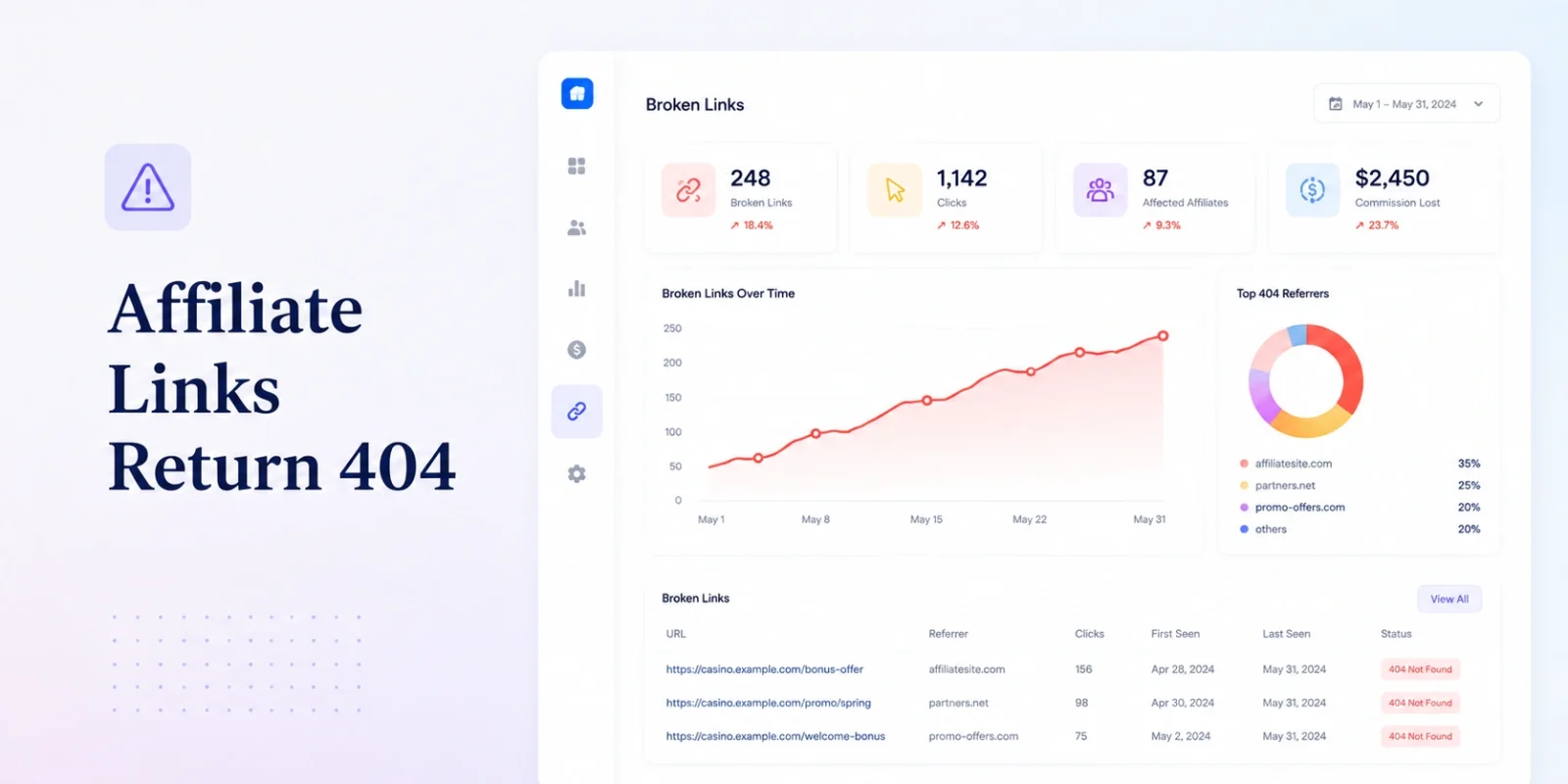
TL;DR — Affiliate Tracking Links Returning 404
→ A 404 on a tracking link means the click was received and, in most cases, logged and credited to the affiliate. The failure happens one step later, when the routing layer has nowhere to send the visitor. Your click counter looks fine. Nobody converts.
→ Five causes account for nearly every 404 we’ve traced across iGaming tracking infrastructure: a paused or deleted offer with no redirect attached, a SmartLink routing rule with no fallback match, domain or subdomain leftovers from a migration, an expired campaign that was archived instead of redirected, and manually altered or malformed link parameters.
→ Checking links one at a time doesn’t scale past a handful of affiliates. A bulk audit — exporting every active link and batch-checking response codes — surfaces dead links before an affiliate does, instead of after.
→ The permanent fix isn’t catching 404s faster. It’s building a fallback policy so a dead offer degrades to a generic landing page instead of a dead end — so no click, ever, resolves to nothing.
A tracking link returning a 404 looks like a small problem. It isn’t. It’s paid or earned traffic — traffic an affiliate spent budget, content, or placement equity to generate — arriving at exactly the moment it was supposed to convert, and finding nothing there. Not a redirect. Not a fallback page. A dead page, or no page at all.
This is a different failure than a dashboard showing zero clicks. In that scenario, the click was never logged — the tracking layer never received the request, so the counter has nothing to count. Here, the opposite happens. We’ve traced enough of these to know the pattern precisely: the click hits the tracking domain, the platform logs it, in most architectures the affiliate is credited for it, and then — one step later — the routing engine has nowhere left to send the visitor. If you’re troubleshooting the version where nothing shows up on the dashboard at all, that’s a separate diagnostic tree; see our breakdown of zero clicks on an affiliate dashboard instead. This guide is about the click that is counted, and still goes nowhere.
Why a 404 Is More Dangerous Than It Looks?
A 404 doesn’t set off any alarms in a standard affiliate reporting stack. The click count is accurate. In many platforms, the attribution event still fires before the routing failure occurs, so the affiliate’s own dashboard shows a perfectly normal click too. Both sides of the relationship look healthy. Meanwhile, every one of those visitors is bouncing off a dead page, converting into nothing, and neither party’s monitoring is built to catch it — because the metric that would flag the problem is the same metric that’s reporting success.
How many dead links are circulating in your affiliate network right now, on placements nobody has checked since the campaign that generated them ended?
That question is not rhetorical in the way it sounds. Tracking links, once distributed, tend to have a longer operational life than the offers behind them. Banner creatives get cached by CDNs. Old email sequences keep firing on autopilot. Affiliates bookmark links and reuse them across campaigns without regenerating anything. The offer on the other end can be paused, deleted, or restructured weeks or months before anyone notices the link pointing at it started failing.
Cause 1: An Offer Was Paused or Removed Without a Redirect Attached
This is the most common cause, and it’s an operational gap rather than a technical bug. An offer gets paused for a budget cap, a compliance review, or a seasonal promotion ending, and the action taken is deletion or archival — full stop. No redirect target gets assigned. No fallback route gets configured. The offer simply stops existing on the backend while every tracking link ever generated against it continues circulating in banners, emails, and affiliate content indefinitely.
The next click against that link has nothing to resolve to. The platform can log the click — it knows a request arrived and which affiliate sub-ID it’s tagged with — but it has no destination to forward the request to, and the visitor lands on a 404 or a generic platform error page instead of anything resembling your brand.
Cause 2: A SmartLink Routing Rule With No Fallback Match
SmartLinks — dynamic links that route a single visitor to different destinations based on geo, device, or brand rules — solve a real operational problem: one link an affiliate can distribute everywhere, with routing logic doing the segmentation instead of the affiliate managing dozens of static links. The failure mode is specific to exactly that flexibility. If a visitor arrives from a geo, device type, or segment that doesn’t match any configured rule — a new market you haven’t mapped a rule for yet, an unsupported device category, a browser the rule set didn’t anticipate — and there’s no default or catch-all rule defined, the router has nowhere to send that request. It doesn’t degrade to something close. It fails outright.
This is worth stating plainly: a SmartLink without a fallback rule is not really “smart.” It’s a router with a blind spot, and every visitor who falls into that blind spot experiences it as a dead page with your affiliate’s traffic behind it.
Cause 3: Domain or Subdomain Changes Left Over From a Migration
Operators who’ve migrated affiliate platforms — or rebranded a tracking subdomain for any reason — inherit a specific version of this problem. Old tracking links, generated under the previous domain or subdomain structure, keep circulating exactly as they did before the migration. If the old domain was decommissioned rather than redirected, or redirected only for a subset of URL patterns instead of all of them, every legacy link outside that mapped subset resolves to nothing.
We’ve watched this play out across enough platform migrations to know it’s rarely caught during the migration itself — it surfaces weeks later, as a trickle of affiliate complaints about links that “used to work.” If a migration is on your roadmap, or you’re evaluating whether a past one left this kind of debris behind, our breakdown of the true cost of affiliate platform migration covers what a complete legacy-URL mapping should include before a domain gets retired, not after.
Cause 4: A Campaign Expired and Was Archived Instead of Redirected
Time-boxed campaigns — a seasonal deposit bonus, a tournament promotion, a limited welcome offer — have a natural end date, and most platforms handle that end date by archiving the campaign object automatically. Archiving is correct behavior for the campaign record. It’s the wrong behavior for the links pointing at it, unless a redirect target was explicitly configured before the archive date arrived.
The distinction that matters here: this is not a bug in your platform’s automation. The automation is doing exactly what it was told to do. The gap is procedural — nobody made redirect configuration a required step before a campaign is allowed to expire, so it defaults to the option that requires no decision: nothing.
Cause 5: Malformed or Manually Altered Link Parameters
The least systemic cause, and the easiest to misdiagnose as something bigger than it is. An affiliate copies a link into a URL shortener that mangles a query parameter. A sub-ID gets hand-edited and a character drops. A link gets pasted into a CMS that auto-encodes a character the routing engine expects raw. Any of these breaks the parameter structure the SmartLink or campaign router depends on to resolve a valid destination, and the router — receiving a request it can’t parse into a known offer — has no choice but to fail.
This one is worth checking early precisely because it’s easy to rule out. Pull the exact failing URL, character for character, and compare its parameter structure against a known-good link generated for the same offer. A mismatch here is usually a five-minute fix — reissue the affiliate a clean link — rather than a platform-level problem at all.
“A 404 on a monetized tracking link isn’t a UX defect. It’s paid traffic evaporating at the exact moment it was supposed to convert — and no dashboard metric captures the loss, because the loss happens after the metric that would have flagged it.”
How to Audit Live Affiliate Links in Bulk
Clicking through links one at a time works for a handful of affiliates. It stops working the moment a program has real scale — a few hundred active links across dozens of affiliates makes manual checking a full day of work that’s stale again within a week. Bulk auditing is the only version of this that holds up operationally, and it follows the same four steps regardless of platform:
- Export every currently active tracking link across all affiliates and offers — a CSV export or, at scale, a direct API pull rather than a manual dashboard review.
- Run a batch HTTP status check against the full list, flagging anything outside the 200/301/302 range. A 404, 410, or timeout goes on the review list; a clean redirect chain doesn’t.
- Cross-reference the failures against your currently active offer and campaign IDs. One dead link is usually an isolated affiliate issue. Fifty dead links sharing a URL structure or generation date is a platform-level pattern — often a migration or a bulk offer archival — and needs a systemic fix, not fifty individual ones.
- Set a recurring cadence rather than a one-time sweep: after every offer pause or archival, after any domain or platform change, and on a standing schedule — weekly for high-volume programs — regardless of whether anything changed that week.
Programs pulling this data through direct API access, rather than manual exports, scale this considerably further — the audit becomes something that can run on a schedule without a person initiating it each time. Our breakdown of casino affiliate API integration covers what that endpoint structure looks like in practice, for operators building this as an automated check rather than a manual one.
Building a Fallback Policy So a Dead Offer Degrades Gracefully
Catching 404s faster is a monitoring improvement. It is not a fix. The actual fix is architectural: no tracking link, under any circumstance, should be able to resolve to nothing. A dead offer should degrade to something — a generic landing page, a current active promotion, a “this offer has changed” soft-landing — never to an error page with no path forward for the visitor.
We, the team behind Scaleo, treat undefined-route handling as a first-class configuration decision rather than an edge case to patch around later. In practice, that means four policies enforced at the platform level rather than left to individual campaign managers to remember:
- A default catch-all route on every SmartLink. Any visitor who doesn’t match a configured geo, device, or segment rule falls through to a defined generic destination — never to an unhandled dead end.
- A mandatory redirect target before an offer can be archived. The archival action itself requires a redirect destination to be set first — a procedural gate, not a suggestion in a runbook someone might skip under time pressure.
- A complete legacy-URL mapping before any domain is decommissioned. Every historical link pattern gets a defined 301 target before the old domain is retired, not spot-checked afterward once complaints start.
- A soft-landing page as the default fallback, not a blank error. A “this promotion has ended — here’s what’s currently live” page preserves some chance of conversion from stray traffic instead of losing it outright.
None of this is complicated engineering. It’s a policy decision that has to be made once, enforced consistently, and revisited whenever the campaign or offer lifecycle changes — which is precisely why it gets skipped at operators where nobody owns it as a specific responsibility.
What a Live 404 Actually Costs
The direct cost is the traffic itself — clicks that were paid for, in ad spend or in the affiliate’s own content investment, converting to zero. The second cost is quieter and compounds faster. An affiliate who sends traffic to a dead link three or four times, even unintentionally, starts deprioritizing your offers in their rotation regardless of how competitive your commission structure is. They don’t need to file a complaint for this to happen. They just need to notice their own numbers looking worse on your program than on a competitor’s, and move volume accordingly.
In regulated markets, there’s a third cost worth naming directly: broken tracking links showing up in marketing materials during a compliance review reflect on operational professionalism in a way that has nothing to do with the offer itself. A dead link is a small technical failure with an outsized brand-safety footprint, precisely because it’s the kind of thing regulators and auditors notice without needing to be told to look for it.
404 Causes at a Glance
| Cause | How to Detect It | Immediate Fix | Prevent Recurrence |
|---|---|---|---|
| Offer paused/removed, no redirect set | Bulk status check flags 404 on a specific offer ID | Add a redirect target to the retired offer manually | Require a redirect target as a mandatory field before archival is allowed |
| SmartLink rule with no fallback match | 404s cluster around a specific geo, device, or segment | Add a default catch-all rule to the routing configuration | Make a fallback rule mandatory on every new SmartLink at creation |
| Domain/subdomain migration leftovers | 404s isolated to links generated before a known migration date | Add a 301 redirect for the missing legacy URL pattern | Complete a full legacy-URL mapping before any domain is retired, not after |
| Expired campaign archived without a redirect | 404 appears exactly at or after the campaign’s end date | Attach a redirect to the archived campaign object | Gate the archive action on a redirect target being set first |
| Malformed or manually altered link parameters | Failing URL doesn’t match the structure of a known-good link for the same offer | Reissue a clean link to the affiliate | Discourage manual link editing; provide shortener-safe link formats by default |
Finding More Dead Links Than You Expected?
A bulk audit surfacing a systemic pattern — not just a handful of isolated links — usually points to a routing or migration issue worth a direct conversation.
Talk to a Migration SpecialistFrequently Asked Questions
Why do affiliate tracking links return a 404 error?
Most often because the offer or campaign the link points to was paused, deleted, or archived without a redirect target being configured. Other common causes include a SmartLink routing rule with no fallback match, leftover domain or subdomain references from a past migration, and manually altered or malformed link parameters
How do I check for dead affiliate links in bulk?
Export the full list of active tracking links across all affiliates, then run a batch HTTP status check against every URL to flag anything outside the 200/301/302 range. Cross-reference failures against currently active offer IDs to distinguish an isolated dead link from a systemic pattern, and repeat the check on a recurring schedule rather than once.
What should happen when an affiliate offer is removed?
A redirect target should be assigned before the offer is archived or deleted, so any tracking link still in circulation forwards to a generic landing page or current active promotion instead of resolving to a dead page. Treating this as a required step in the archival process, rather than an optional cleanup task, prevents the majority of 404s tied to offer lifecycle changes.
Can a domain migration cause affiliate links to 404?
Yes. If a tracking domain or subdomain is retired during a platform migration without a complete redirect mapping for every legacy URL pattern, any link generated under the old structure that falls outside the mapped subset will 404. This often surfaces weeks after the migration, once affiliates report links that previously worked.
This guide reflects SmartLink routing behavior, offer lifecycle management, and domain migration practices as of August 2026. If you’re reading this well after publication, confirm the specific archival and redirect defaults against your current platform version before treating any of the fixes above as a permanent solution.